- landed-cost
- cogs
- purchase-orders
- freight
- fba
Amazon FBA Landed Cost per Unit: One PO, Three Shipments
The same $3,000 freight bill can put a product at $14.60 or $16.60 a unit. Here is how to pick a driver for each cost and split the costs of a PO that ships three times.
Roman Gagloev11 min read
Amazon FBA landed cost per unit is the supplier's unit price plus that unit's share of freight, duty and the other costs of getting it into Amazon's network. The share depends on two choices: the driver you split each cost by (volume, weight, units, price or evenly) and the level you split it at. When one PO (purchase order) ships in three shipments, split each shipment's costs among the units on that shipment, not across the whole order.
Below: the formula, a worked example where one freight bill puts the same product anywhere from $14.60 to $16.60 a unit, what happens when a rushed air shipment gets pooled into the PO, what we found in our own cost lines, and a method you can run in a spreadsheet or in Propamp.
How to calculate Amazon FBA landed cost per unit
Landed cost per unit equals the price you paid the supplier for one unit plus that unit's share of every cost of acquiring the goods. The IRS defines the cost of purchased inventory the same way: the invoice price minus appropriate discounts plus transportation or other charges incurred in acquiring the goods. For an FBA seller, the pieces usually are:
- Goods: the supplier's unit price on the PO.
- Freight: the ocean or air leg, plus ground legs to a warehouse or to Amazon.
- Customs: duty and clearance.
- Overhead: insurance, handling and similar charges on the way in.
Propamp's purchase order documentation groups the extra costs the same way: freight, customs and overhead.
The arithmetic for each extra cost is the same: take the bill, find each product's share of the driver, and divide that product's dollars by its units on the shipment. Landed cost per unit is the unit price plus the sum of those per-unit shares.
In this article, landed cost runs until the units are sellable in FBA. Amazon's fees for selling them sit in your unit economics, not in the cost of the goods.
Why the allocation driver changes your unit cost
The driver decides which product carries how much of a shared bill, so one freight invoice can produce very different unit costs. The numbers below are illustrative round figures, not data from any real account.
Say one ocean shipment carries two products from the same PO:
- Yoga mat: 600 units at $12.00, bulky and light: 0.02 cubic meters (CBM) and 2 kg per unit.
- Kettlebell: 600 units at $8.00, compact and heavy: 0.005 CBM and 3 kg per unit.
The freight bill is $3,000. Duty is 5% of the goods' value on every shipment in this example (an illustrative rate), so it adds $0.60 per mat and $0.40 per kettlebell whichever driver you use for freight. Here is the freight share per unit under each driver:
- By volume: the mats fill 12 of 15 CBM, so they carry 80%: $4.00 per mat, $1.00 per kettlebell.
- By weight: the mats are 1,200 of 3,000 kg, or 40%: $2.00 per mat, $3.00 per kettlebell.
- By units: each product has 600 of 1,200 units: $2.50 for both.
- By price: the mats are $7,200 of $12,000 in goods, or 60%: $3.00 per mat, $2.00 per kettlebell.
- Evenly: each product line takes half the bill. With equal quantities this matches the split by units: $2.50 for both.
Add the goods and the duty, and the mat's landed cost per unit runs from $14.60 by weight to $16.60 by volume, with $15.10 by units and $15.60 by price. The kettlebell runs from $9.40 by volume to $11.40 by weight. Same invoice, a $2.00 swing per mat: switching from weight to volume moves $1,200 of the $3,000 bill from the kettlebells to the mats.
Cutting unit cost may be the main lever left on Amazon, as One Inch, $17 a Unit: Why COGS Is the Only Lever Left argues, but you can only cut a cost you can measure per unit.
Which driver fits freight, duty and the rest
Use the driver that mirrors how each bill was calculated, so the product that caused a cost is the one that carries it:
- Ocean freight quoted per container or per CBM: spread by volume, because space is what the quote priced.
- Air freight, or any freight quoted by weight: spread by the weight the bill was priced on. For air that is the chargeable weight, the higher of actual and volumetric weight, so give each product the higher of its own two weights, not just its kilograms on the scale.
- Duty: spread by price. A tariff is a tax levied on the value of imported products, so the more valuable product should carry more of it. This works when the products on a shipment share one duty rate. If they carry different rates, take each product's duty from the customs entry instead of spreading the total.
- Charges billed per unit, such as labeling: spread by units.
- Flat fees that do not scale with size, weight or value: spread evenly.
The usual shortcut, one driver for the whole order, breaks here. Freight and duty scale with different things, so the driver belongs on each cost line, not on the order.
When one PO ships in three shipments
When a PO ships in several parts, allocate each shipment's costs among the units on that shipment, and keep only order-wide costs at the PO level. Pooling every shipment's bills into one PO-wide total moves costs onto units that never caused them.
Take the whole PO: 1,000 mats at $12.00 and 1,000 kettlebells at $8.00, $20,000 in goods and 25 CBM in total. It ships three times (still illustrative):
- Shipment 1, ocean, full container: 600 mats and 600 kettlebells, 15 CBM, $3,000 freight.
- Shipment 2, ocean, part load: 400 mats and 200 kettlebells, 9 CBM, $1,800 freight.
- Shipment 3, air: 200 kettlebells rushed to cover a stockout, 1 CBM, $1,800 freight.
For simplicity, both ocean shipments cost $200 per CBM, and duty stays at 5% of value.
Allocated per shipment
Per shipment, each freight bill stays with the units that rode it, spread by volume within that shipment:
- Mats: $4.00 of freight on both ocean shipments, so $16.60 landed per unit.
- Kettlebells that went by ocean: $1.00 of freight, so $9.40 landed. That is 800 units.
- Kettlebells that flew: $1,800 ÷ 200 = $9.00 of freight, so $17.40 landed. That is 200 units.
Averaged across the PO, a kettlebell costs $11.00 landed: 800 units at $9.40 and 200 at $17.40.
Pooled at the PO level
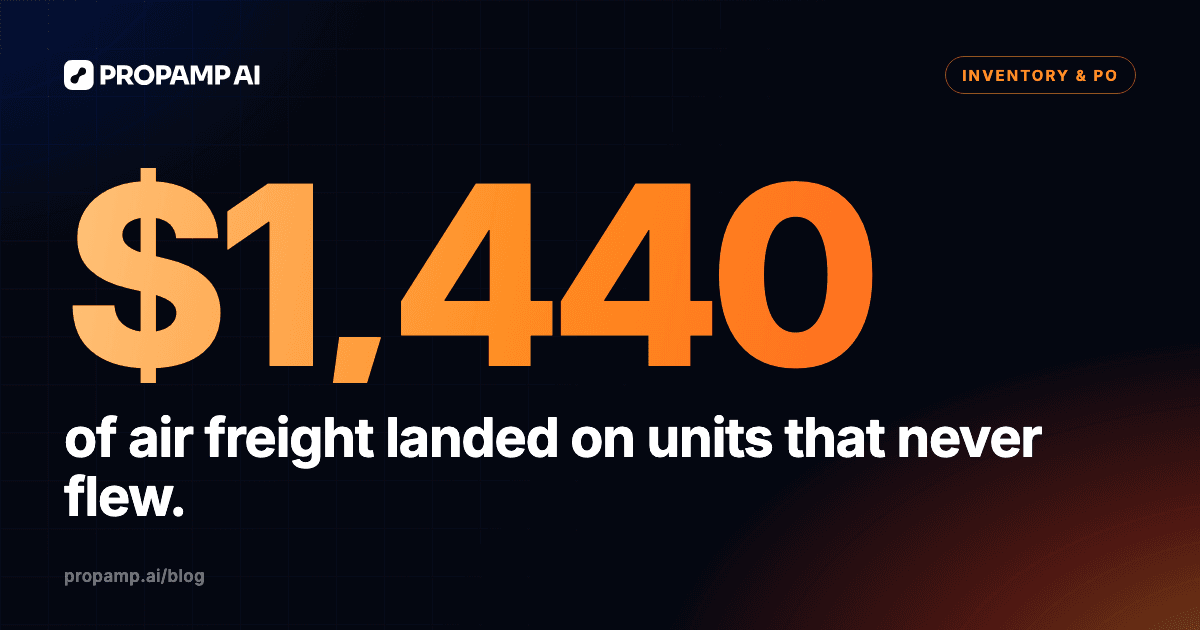
Pooled, the three freight bills become one $6,600 total spread by volume across the whole PO. The mats are 20 of 25 CBM, so they carry 80% of every freight dollar, including 80% of the air bill: $1,440 of air freight lands on mats that never flew. Net of the ocean freight that shifts the other way, the mats pick up $1,280 more than they caused. The pooled numbers:
- Mat: $5.28 of freight, $17.88 landed, $1.28 too high.
- Kettlebell: $1.32 of freight, $9.72 landed, $1.28 below its true average and $7.68 below the air lot.
Pooling gets the total right and both products wrong. The mat looks less profitable than it is, and the kettlebell hides a rush shipment that cost nearly twice as much per unit as its ocean lots.
Whether your books then carry the air lot at $17.40 or average the kettlebell to $11.00 is an accounting choice to settle with your accountant. Either way, start from per-shipment numbers: the pooled ones are wrong under both.
What we found in our own cost lines
On the orders we read in our own account, the allocation method sat on each cost line, and the order's default did not match the method its cost actually used. When we read the cost lines of two purchase orders and of our open shipments on our own brand's account (as of October 26, 2026, through Propamp's MCP server rather than the screens), we saw this:
- The method was set on each cost line, at two levels: costs on the purchase order and costs on each shipment.
- Each purchase order also had a method of its own. On both orders we read, it said even, while the order's only cost line was spread by volume.
- On every shipment cost line we read, ocean freight was spread by volume and customs duty by price.
- Even, volume and price were the only methods in this data; no method based on weight or unit count appeared.
- The only sign that a cost was an estimate was "(est.)" in its name.
- Transfers into FBA that drew on an AWD (Amazon Warehousing and Distribution) lot carried cost lines prefixed "AWD lot:", carried over from the inbound shipment.
We also looked at how one order travels. Four of our purchase orders had more than one open shipment. The order we opened in full had four shipment legs: three went to Amazon fulfillment centers by ocean, two as full containers and one as a part load, and the fourth went into a third-party warehouse. In our records, four later transfers from that warehouse to Amazon had no purchase order link; the only thing pointing back to the warehouse leg was the cost source on their lines. The order had a single estimated arrival date, while the planned arrivals of its legs spread over 31 days.
Two lessons for a split PO follow. Check the method on each cost line, not the order default. And follow every leg of the order, including stops at a warehouse, because a transfer out of a warehouse may not carry the order link with it. These observations come from one account, two purchase orders read for costs and one order opened in full.
A step-by-step method for a split PO
Run this once per PO, in a spreadsheet or in a tool:
- Record each product's unit price, quantity, and CBM and weight per unit from the PO and the packing list.
- Put each cost where it was incurred: freight, customs and delivery bills on the shipment they belong to; order-wide costs, such as a factory inspection, on the PO.
- Give each cost line its own driver: volume or weight for freight, depending on how it was quoted (chargeable weight for air); price for duty; units for per-unit charges; evenly for flat fees.
- Allocate each shipment's costs among the units on that shipment, and PO costs across all units on the PO.
- Mark estimates, and replace each one with the final invoice when it arrives. A freight quote is not a freight bill.
- Follow transfers: when units move from your own warehouse or a 3PL (third-party logistics warehouse) to Amazon, carry the lot's cost with them and add the transfer's own freight.
- Decide once whether you report each lot or a PO average, and keep that rule.
Doing it in Propamp
In Propamp, the PO holds the goods and the extra costs, and the shipments carry the split. A setup that follows the method above:
- Create the PO with its line items, prices and currency, and its dates: placement, production start, goods ready and estimated arrival. Propamp's purchase order tracking keeps orders as Draft, Active or Completed.
- Split the PO across its shipments and specify how many units of each product go on each shipment.
- Add the extra costs (freight, customs and overhead) and choose how each one is allocated: by volume, weight, count, price or evenly.
- On a paid plan, Propamp calculates true COGS (cost of goods sold) from your POs.
- See where each PO's units are now on a Sankey chart.
Through Propamp's MCP server for Amazon sellers, an AI agent such as Claude can read your POs, shipments and their costs, so you can ask which driver each cost uses before you trust a unit cost. Here is how to connect Claude to your purchase orders and shipments. MCP (Model Context Protocol) access is included in the trial; on paid plans, outside AI clients need the MCP access add-on. Claude needs a Pro plan or higher.
Propamp does the arithmetic on the inputs you give it. The driver on each cost and whether a cost is final are still your calls.
Try it on one PO you already split
Start a two-week free trial (no credit card) from the Amazon inventory management page, enter one PO that shipped in parts, split it across its shipments, and allocate its freight and duty with the drivers above.
How we made this: drafted with AI assistance and checked against Propamp's public documentation, the sources linked above and our own brand's account (observations as of October 26, 2026).