- inbound-inventory
- purchase-orders
- fba-shipments
- inventory-reconciliation
- restock
Amazon Inbound Inventory Reconciliation: Audit POs and Shipments
A purchase order and the Amazon shipment that carries its goods can both claim the same units. Four record checks before each reorder keep inbound counted once.
Roman Gagloev8 min read
Amazon inbound inventory reconciliation, done before a reorder, means making sure every unit on its way to Amazon is counted once: as open quantity on a purchase order or as units on the FBA shipment that carries them, never both. Four record checks cover it: active POs with nothing left to ship, shipments with no PO link, working shipments with no planned arrival, and dates that cannot be true. Left alone, each one can throw off your next order, and a double count makes it smaller than it needs to be.
This guide covers your own records. Comparing units shipped with units Amazon received, to file reimbursement claims, is the other half of inbound reconciliation and a separate check.
Why the same inbound units get counted twice
The same units get counted twice when they live in two records at once: as open quantity on a purchase order (PO) and as units on the Amazon shipment that carries them. Say a PO shows 1,000 units still to arrive from the supplier, and you create a shipment for those goods in Send to Amazon. If nothing ties the shipment back to the PO, any spreadsheet or tool that adds "open on PO" to "inbound to Amazon" now sees 2,000.
The reverse error does the same damage. A PO left active after its goods have arrived keeps its units in the on-order column, while the same units already sit in fulfillment centers as stock.
Two shipment states make both errors easy to miss:
- A shipment in working status has, in Amazon's own definition, been created by the seller but not yet shipped. Until it ships it is a plan, yet a spreadsheet or tool can still read it as inbound.
- Closed does not always mean every unit arrived. As of November 2026, Amazon's seller blog says a shipment closes once Amazon confirms all units received, or once it has been open more than 45 days for a domestic shipment or 75 days for an international one. A PO marked Completed because its shipment closed can hide a shortfall.
What a double count does to your next reorder
A double count shrinks your reorder quantity by exactly the number of units counted twice. The example below is hypothetical, with round numbers, and the math is a generic shape, not any specific tool's formula.
Say a product sells 40 units a day. Your lead time is 60 days, and you want 30 days of cover after the next order lands. Across that window you need 40 × 90 = 3,600 units.
- On hand at Amazon: 1,200 units.
- Inbound: one PO of 1,000 units, already sent to Amazon as a shipment.
- Counted once: 3,600 − 1,200 − 1,000 = 1,400 units to order.
- Counted twice, the PO's open 1,000 plus the shipment's 1,000: 3,600 − 1,200 − 2,000 = 400 units to order.
You under-order by 1,000 units, which is 25 days of sales at 40 a day. Nothing looks wrong on the day you place the order. The gap shows up about two months later, when the smaller order lands and sells through early. A stale active PO does the same damage from the other side: if its 1,000 units already arrived and sit in your 1,200 on hand, the PO still adds 1,000 phantom units on order and cuts the order by 1,000.
Four checks for Amazon inbound inventory reconciliation
Run four checks on your records before you trust a restock number, whether it comes from a spreadsheet, a reorder screen or an AI agent: stale active POs, unlinked shipments, undated working shipments and impossible dates. Start by pulling every open shipment and every purchase order still marked active.
One warning before you filter: pull every status you treat as open, then compare the list with a per-product stock view. When we filtered the shipment list on our own brand's account to four open statuses (as of October 26, 2026), the filter missed at least one planned shipment that the per-product stock view showed.
1. Active purchase orders with nothing left to ship
An active purchase order with nothing left at the supplier and no open shipment overstates what is on order. For each active PO, check:
- Are any units still at the supplier or in production? Only those should count as on order.
- Has every shipment that carried the PO's goods been received, or is each gap explained (short, lost, still receiving)?
- Is the PO's planned arrival in the past?
If every leg is received and nothing is left at the supplier, move the PO to Completed. If a shipment closed short, record the gap before you complete the PO, so the missing units do not vanish from both records at once.
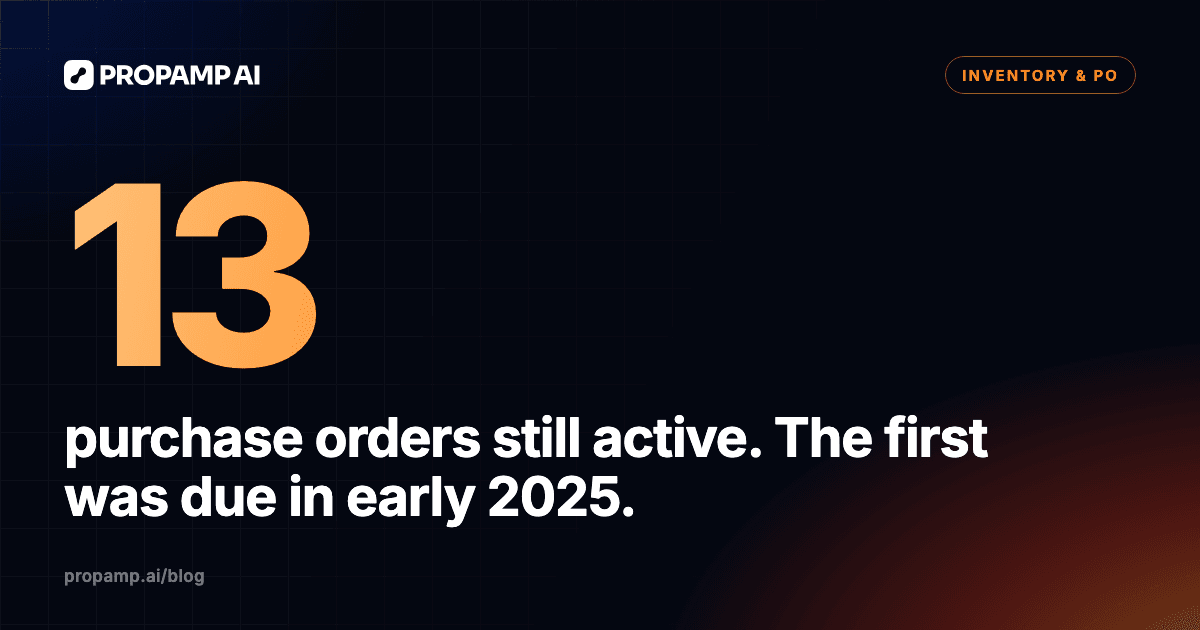
When we listed active purchase orders on our own brand's account (as of October 26, 2026), 13 purchase orders were still marked active. The first one the list returned had a planned arrival in early 2025 and only a closed shipment, so its status was out of date in our records.
2. Shipments with no purchase order link
A shipment with no link to a purchase order is the classic source of a double count: its units show as inbound, while the PO they came from can still show them as open. For each open shipment, check:
- Does it list the PO, or POs, its units came from?
- For each product, does it say where the units came from: a PO or one of your warehouses?
- If the units left a third-party warehouse or your own, can you trace them back to the PO leg that filled that warehouse?
On our own brand's account (as of October 26, 2026), 22 shipments were open, and 12 of them were linked to a purchase order. In our records, four later transfers from a third-party warehouse to Amazon had no purchase order link, and the only thing pointing back to the warehouse leg was the cost source on their lines. Two other shipments each listed two purchase orders but took their units from only one of them, through our own warehouse.
That last case is why you check the link per product, not per shipment. A PO listed on a shipment does not prove the units came from that PO.
3. Working shipments with no planned arrival
A working shipment with no planned arrival date still looks like inbound but gives you nothing to plan around. For each shipment in working status, check:
- Will it actually ship? If not, cancel it in Seller Central instead of leaving it in working.
- If it will ship, does it have a planned arrival date and a lead time?
- Are its units also still open on a PO? Then link them, as in check 2.
On our own brand's account (as of October 26, 2026), six shipments from one Send to Amazon plan had been in working status for 27 days with no planned arrival and no lead time.
4. Dates that cannot be true
A date that cannot be true is a typo you keep planning around until someone fixes it. Look for:
- Actual dates earlier than the planned start, such as customs clearing before the shipment was due to leave.
- Planned arrivals that have passed with no arrival recorded.
- Working shipments whose planned arrival passed long ago.
On our own brand's account (as of October 26, 2026), one record had a customs clearance date earlier than its planned start, and one working shipment had a planned arrival in 2022. Three of four transfers from Amazon Warehousing and Distribution (AWD) to FBA were 3 days past their planned arrival with no arrival recorded; the fourth was partly received.
Where shipment-level reconciliation falls short
Shipment-level reconciliation, units shipped against units received, catches Amazon's receiving errors, but it does not catch yours. A shipment can match to the unit while the same units are still open on a PO, and a PO can stay active long after its last leg closed. That is why the four checks above look at the PO side first.
If a PO shipped in several legs, follow each leg the way we describe in tracking a purchase order split across shipments. Once the inbound count is clean, set the order size from a reorder point built on actual lead times.
Running the audit in Propamp
Propamp keeps purchase orders and Amazon shipments in one place, so the four checks run on records you can link to each other. What you can use:
- Purchase orders with Draft, Active and Completed statuses and with placement, production start, ready and estimated arrival dates, as described in the purchase order guide.
- One PO split across several shipments, with the quantity on each.
- A shipments overview, shipment details and shipment drafts.
- Planned versus actual duration of each logistics step of a shipment, through the Propamp MCP, for the lead time that check 3 asks about.
Through the Propamp MCP server, an AI client such as Claude (Pro plan or higher) can read your POs and shipments, so you can ask it to run the four checks and list what it finds. This is not an automatic duplicate check: the agent reads the same records you would, and only data Propamp has already synced from Seller Central. Reads run freely; changes, such as updating a PO, ask you to approve first in clients that honor tool hints, as the data and permissions page explains. MCP access is included in the trial; on paid plans, outside AI clients need the MCP access add-on.
To see how POs, shipments and payments sit together, start with Propamp's purchase order workspace.
Try the audit on your own POs
To see whether your inbound is counted twice, run the four checks on your active POs and open shipments before your next reorder. Propamp has a two-week free trial with no credit card: start the free trial, connect Seller Central and audit one product line first.
How we made this: drafted with AI assistance and checked against Propamp's public documentation, the sources linked above and our own brand's account (observations as of October 26, 2026).